Blazing Frenzy
Basic rules
The game can be played in 5 or 9 lines.
All prizes are paid from left to right, starting with the leftmost reel.
Only the highest line is paid for each active pay line.
The bet per line is equal to the total bet requested multiplied by the number of lines played.
The player is responsible for confirming the credits before starting the game.
Prizes from multiple lines are added together.
Winning symbols must appear aligned on the paylines and centered.
If the symbols are only partially above the payline, they do not have a winning position.
All prizes are in an active prize line.
BONUS ROLLER FUNCTION
The Bonus is activated if a prize appears on the first 3 reels and a Bonus symbol appears on the 4th reel.
To activate the Bonus on any winning spin, the Bonus symbols on reel 4 must be fully visible.
The Bonus symbols are:
 |
Multiply the total prize by 10 |
 |
Multiply the total prize by 5 |
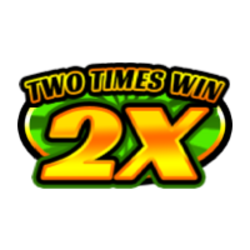 |
Multiply the total prize by 2 |
 |
Add 10 credits multiplied by the line bet to the total prize |
 |
Add 100 credits multiplied by the line bet to the total prize |
 |
The reels will spin 1 to 5 times, stopping in the same position as the trigger spin. Line wins are paid after each spin. |
Prize table
The prizes per symbol are calculated for a bet amount of €0.05.
The game's RTP is 94.04%.
The RTP was calculated by simulating at least 1 billion transfers.
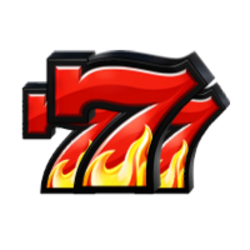
€4.00

€1.00

€0.50
3 ANYONE
€0.20

€0.20

€0.10
3 ANYONE
€0.05
Prize lines
1
2
3
4
5
6
7
8
9
Quick Start
The game begins when the Bet is selected and the Play button is pressed. The game round ends when the reels stop spinning without any winnings or when the prize presentation is complete, if any.
Turbo mode (if available)
When turbo mode is activated, the reel spinning animation is accelerated. This option does not affect the outcome of the game round, only how the result is displayed on the screen.
Game Menu
The game menu contains options and settings that control various game functions:
- History: Shows previous rounds of the current game session
- Close game: Closes the game client
- Sound: Controls the game's sound effects (on/off)
- Turbo mode (if available): controls the Turbo mode function (on/off)
- Left-handed mode (if available): Controls the position of the user interface on mobile devices
- Vipation (if available): Controls vipation on mobile devices (enabled/disabled)
While the menu is visible, the game is paused. The menu can be closed by pressing the Close button or anywhere on the screen.
Bet Selection
The game begins with a bet of a predetermined value. The player can modify the bet in the following ways:
- Using the Plus and Minus buttons that appear next to the Bet
- Pressing the Bet button activates the Bet selection function
The bet cannot be changed during a game round. If a prize is being displayed on the screen, the display will restart when the bet is changed.
LINE SELECTION
Change the lines for the round that is going to be played.
Changing the number of lines may modify the current bet.
PRIZE PAID
Prize amount shown in the game.
Auto Game Mode (if available)
Auto Play mode activates automatic gameplay. This option can be turned on or off at any time during gameplay. Auto Play mode is activated when the Auto Play button is pressed, allowing the player to select:
- The number of rounds that will be played automatically.
- Loss Limit (if available): Deactivates Auto Play mode when the balance falls below the Loss Limit.
- Stop if Bonus Feature is triggered (if available): Deactivates Auto Play mode when the Bonus Feature or Free Spins are triggered.
- Stop with prize greater than (if available): Deactivates Auto Play mode when the prize for a single round of the game exceeds the indicated amount.
The Auto Play button displays the number of remaining spins that will be performed automatically.
Pressing the Spin button when Auto Play mode is on will reset the number of available rounds and turn off Auto Play mode.
Malfunctions
Game malfunctions void all prizes. If a game round is interrupted, it can be easily resumed by restarting the game. If it cannot be resumed, the round is voided according to jurisdictional requirements or the operator's directives and terms and conditions.
User interface
Start a round of the game. You can also use the spacebar (desktop version only).
Change the Bet during the round that is going to be played
Displays the auto-game mode settings (if available)
Activate/deactivate turbo mode (if available)
Apir menu
Show/hide game rules
Activate the music/sound submenu
Last modification date: 10/5/2026