40 Hot Diamond Desire
Basic rules
All prizes are paid from left to right, starting with the leftmost reel.
All prizes are displayed in the corresponding currency.
Any malfunction will void all prizes and plays.
Only the highest scatter prize from each play is paid out.
Scatter prizes are added to line prizes.
Only the highest prize from each winning combination is paid out.
Prizes from multiple lines are added together.
The Wild symbol replaces all symbols except a  and
and 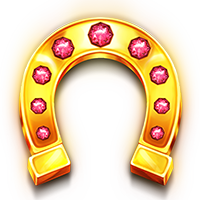 .
.
This game has a winnings limit of 3000 times your bet.
MAIN GAME
40 Hot Diamond Desire is a 5x4 video slot played on 40 paylines.
Wild symbols appear only on reels 2, 3, and 4. Wilds that appear on a reel will expand across the entire reel.
3, 4 or 5 pay the total bet x3, x20 and x100, respectively.
It only appears on reels 1, 3 and 5. 3 pay the total bet x20.
BONUS DIAMOND
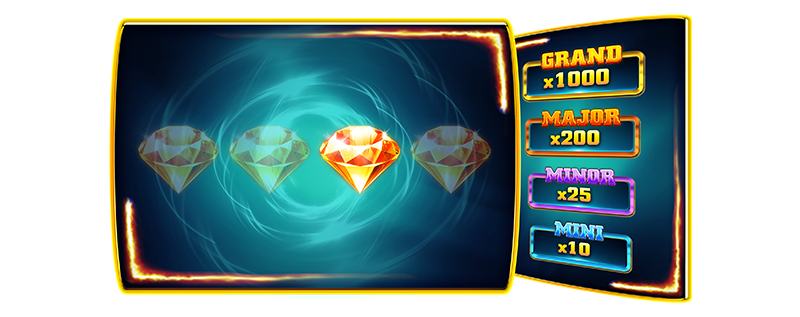
The Diamond Bonus can be triggered randomly on any spin.
The player chooses one of four diamonds on the screen.
The selection can show one of the four cash prizes or a "no prize".
The cash prizes are Mini (total bet x10), Minor (total bet x25), Major (total bet x200) and Grand (total bet x1000).
The game's RTP is 94.04%.
Quick Start
The game begins when the Bet is selected and the Play button is pressed. The game round ends when the reels stop spinning without any winnings or when the prize presentation is complete, if any.
Turbo mode (if available)
When turbo mode is activated, the reel spinning animation is accelerated. This option does not affect the outcome of the game round, only how the result is displayed on the screen.
Game Menu
The game menu contains options and settings that control various game functions:
- History: Shows previous rounds of the current game session
- Close game: Closes the game client
- Sound: Controls the game's sound effects (on/off)
- Music: Controls the game music (on/off)
- Turbo mode (if available): controls the Turbo mode function (on/off)
While the menu is visible, the game is paused. The menu can be closed by pressing the Close button or anywhere on the screen.
Bet Selection
The game begins with a bet of a predetermined value. The player can modify the bet in the following ways:
- Using the up and down arrow buttons that appear next to Bet Amount
- Pressing the Bet button opens the Bet selection function.
The bet cannot be changed during a game round. If a prize is being displayed on the screen, the display will restart when the bet is changed.
Auto Game Mode (if available)
Auto Play mode activates automatic gameplay. This option can be turned on or off at any time during gameplay. Auto Play mode is activated when the Auto Play button is pressed, allowing the player to select:
- The number of rounds that will be played automatically.
- Loss Limit (if available): Deactivates Auto Play mode when the balance falls below the Loss Limit.
- Stop if Bonus Feature is triggered (if available): Deactivates Auto Play mode when the Bonus Feature or Free Spins are triggered.
- Stop with prize greater than (if available): Deactivates Auto Play mode when the prize for a single round of the game exceeds the indicated amount.
The Play button displays the number of remaining spins that will be performed automatically.
Pressing the Auto Play button when Auto Play mode is enabled will reset the number of available rounds and disable Auto Play mode.
Malfunctions
Game malfunctions void all prizes. If a game round is interrupted, it can be easily resumed by restarting the game. If it cannot be resumed, the round is voided according to jurisdictional requirements or the operator's directives and terms and conditions.
Last modification date: 3/24/2026